How-to guides
Phone Number Compliance in India: Why Business KYC Is Required Before You Buy a CallSeeds Number
Indian local numbers need an approved business compliance profile before purchase. Learn what CallSeeds asks for, how review works, and how to buy and link a number after approval.
· 8 min read
If you are setting up an AI phone agent for an Indian business, one step often surprises first-time users: you cannot buy a local number until compliance is approved. That is intentional. Indian local numbers require business KYC before they can be issued. CallSeeds walks you through that approval so your live line stays tied to a verified business profile.
This guide explains why the gate exists, what you submit in the CallSeeds dashboard, how statuses like Under review and Approved work, and what to do after approval so callers can reach your AI agent.
Why you need compliance before buying a number
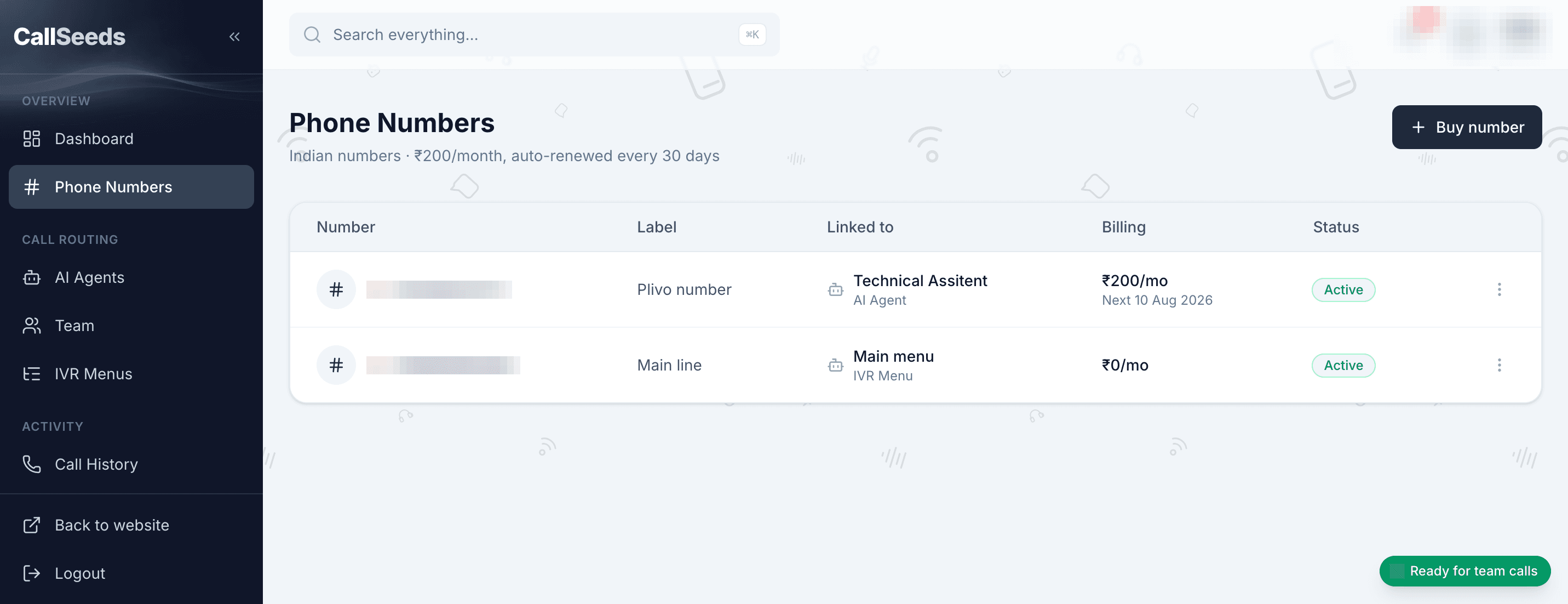
Local Indian business numbers are not casual prepaid SIMs. Telecom providers require a compliance application — business identity, address, and supporting documents — before a number can be allocated. In CallSeeds, that shows up clearly on the Phone Numbers page: until you have an Approved compliance profile, Buy Indian number stays blocked and the empty state points you to Add compliance first.
- Business KYC only for Indian local numbers — individual KYC is not available for these lines
- Each purchase is linked to a specific approved compliance profile
- You can keep multiple profiles if you register numbers for different customers or legal entities
- A Demo number for sandbox testing is separate from a live Indian local number
What you submit in CallSeeds
Open Phone Numbers in the CallSeeds app, then choose Add compliance. The Add compliance form asks for an Alias (so you can recognize the profile later), Legal name exactly as on your Certificate of Incorporation, Email, optional Registration number (CIN / Udyam), and your business address. You then upload the Compliance documents listed in the form — those document types come from the number provider for your application (typically PDF, PNG, or JPEG, up to 5 MB each).
Before Submit for review, read and accept the policy that covers responsible use of the number. We ask teams to treat the line as a real business channel: no unsolicited telemarketing abuse, respect consent and opt-out expectations, and keep your registration details accurate.
Under review, Approved, or Rejected
- Under review — your application was submitted; wait for a decision before buying
- Approved — select this profile under Compliance for this number when you buy
- Rejected — use Resubmit compliance, correct the details or documents, then Resubmit for review
Most delays come from mismatched legal names, unclear scans, or documents that do not match the slots the form asked for. Match your incorporation paperwork carefully the first time.
After approval: buy and link the number
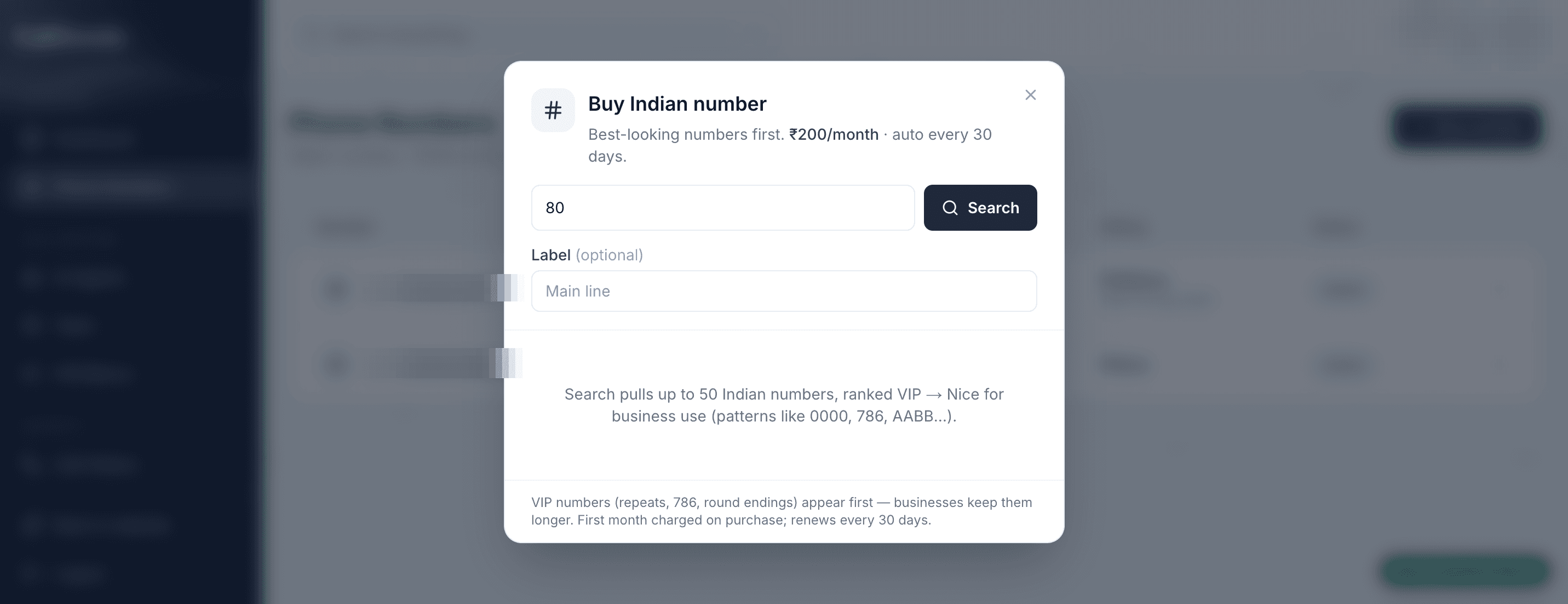
When a profile shows Approved, click Buy Indian number. Choose the compliance profile for this purchase, search by STD / area code, confirm the monthly fee from your credit wallet, and complete Confirm number purchase. Then open Edit on the number, set Link type to AI Agent (or Team / IVR Menu), pick the destination, and Save link. Finish with a real test call from your mobile.
What this guide is not
Phone number compliance here means KYC to register and own a local business number on CallSeeds. It is not the same as DLT telemarketing registration or campaign templates. If your use case needs DLT for outbound SMS marketing, handle that separately with your messaging provider — it is outside this purchase flow.
Get approved, then go live with CallSeeds
Compliance is a short setup cost that unlocks a real Indian business line for your AI phone agent. Submit Add compliance from Phone Numbers, wait for Approved, buy the number, link your agent, and start answering callers with confidence. For the in-app checklist, open the CallSeeds Help article on phone number compliance — and use Ask CallSeeds in the dashboard if you want a guided walkthrough for your account.
Put an AI phone agent on your line
CallSeeds answers business calls with natural AI agents — including after-hours coverage, lead capture, and team dashboards. Start free and cover the rings you currently miss.
Start free with CallSeeds