Getting started
Getting started with the CallSeeds dashboard
A guided tour of the CallSeeds dashboard — where to create agents, buy numbers, review calls, and finish onboarding.
5 min readOpen in dashboard
The CallSeeds dashboard is where you configure AI phone agents, connect phone numbers, and review every conversation. This guide walks you through the main areas so you know where to click on day one.
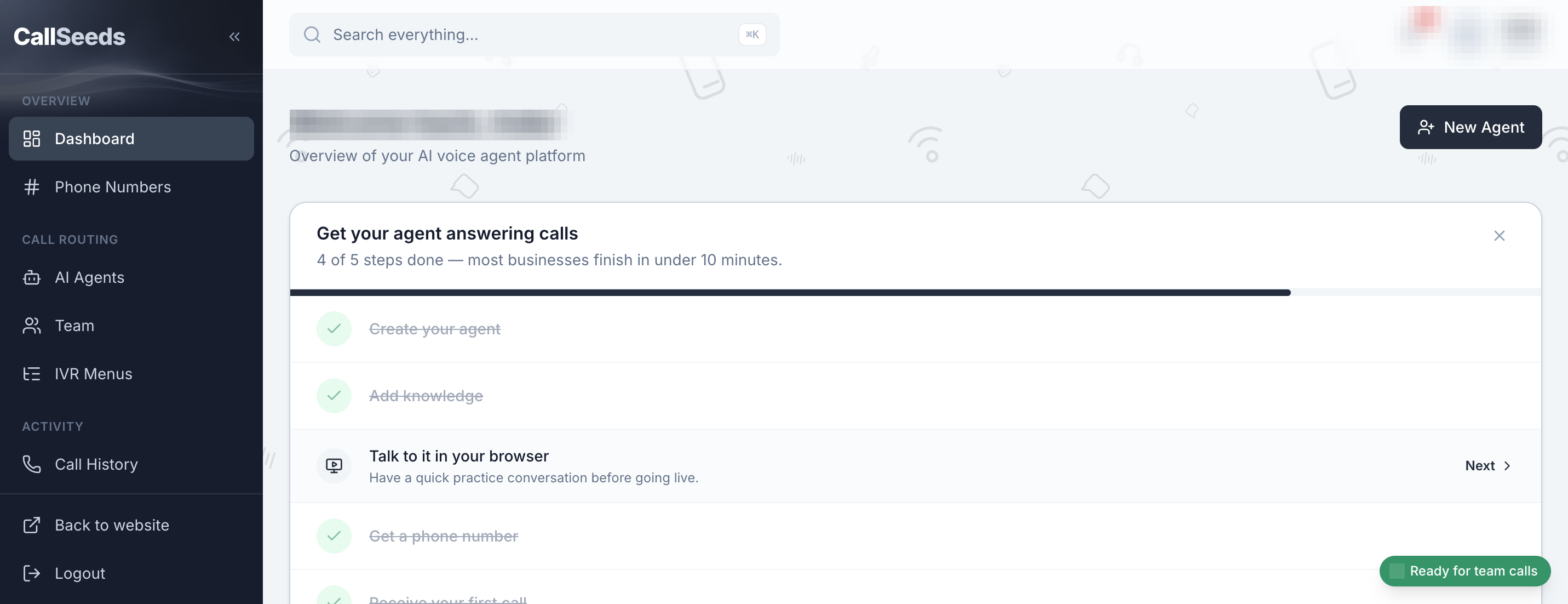
What you will set up
- Create an AI agent with a voice and greeting
- Add knowledge so the agent can answer real questions
- Preview the agent in your browser
- Buy or assign a phone number
- Receive your first live call and review it in Call History
If you are new, the onboarding checklist on the dashboard home tracks these steps for you. Complete them in order for the smoothest launch.
Sidebar overview
- Dashboard — checklist, recent activity, and quick links
- Phone Numbers — buy, assign, and manage inbound lines
- AI Agents — create and edit how your agents sound and behave
- Appointments — calendar bookings from calls
- Orders & inventory — catalog, stock, and takeaway orders
- Tickets — follow-ups that need human action later
- Text to Speech — generate spoken clips and IVR prompts
- Ad Studio — Instagram-ready video ads for each agent
- Team — invite teammates who can answer or manage calls
- IVR Menus — optional keypad menus before or around AI
- Call History — recordings, transcripts, and summaries
- Analytics, Billing, Usage — performance and spend breakdown
Next steps
Start with Create your first AI agent, then add knowledge and a phone number. Each guide below includes screenshots from the real product.
Follow along in your account
Sign in to CallSeeds and keep this guide open while you click through the same screens.