AI agents
Create your first AI agent
Step-by-step: create an AI phone agent in CallSeeds, choose a voice, set instructions, and save it for your number.
6 min readOpen in dashboard
An AI agent is the voice that answers your business calls. You can create different agents for reception, sales intake, support, or after-hours coverage.
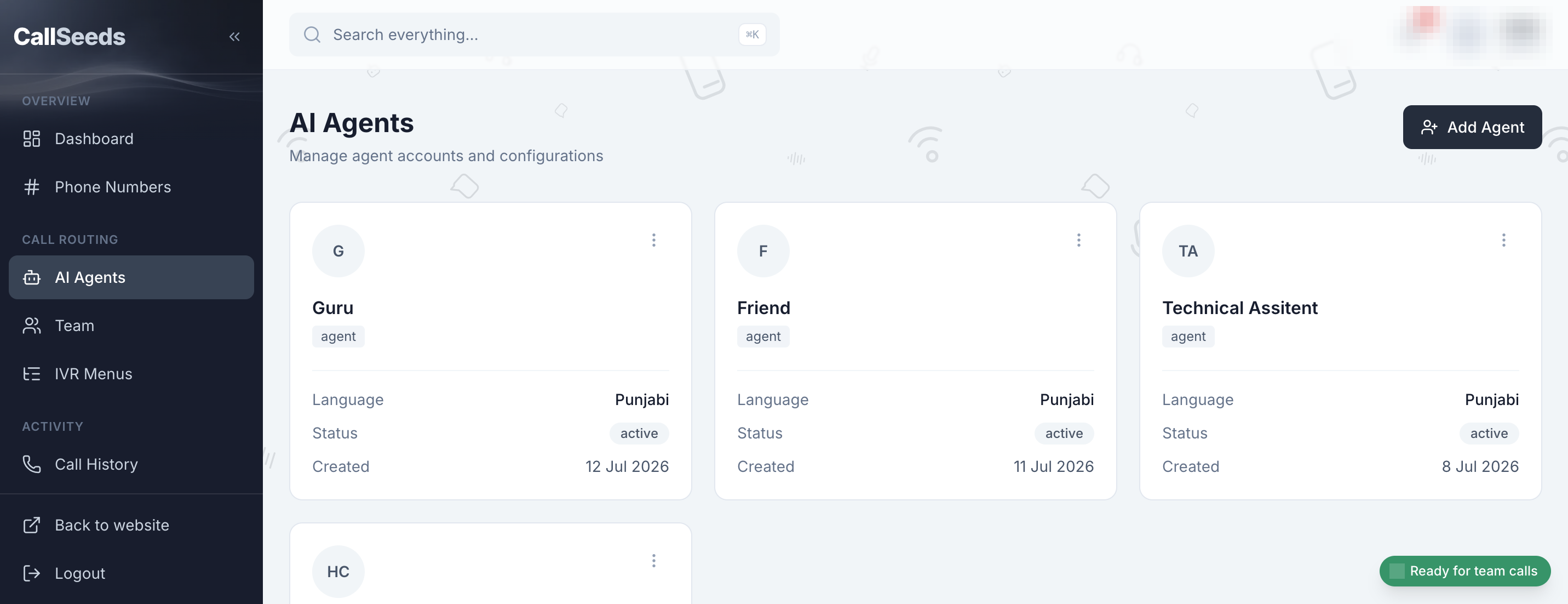
Create an agent
- In the sidebar, open AI Agents
- Click New agent (or Create agent)
- Enter a clear name, for example Front Desk or After Hours
- Choose a voice and language that match your callers
- Write short instructions: who you are, what you help with, and when to transfer to a human
- Save the agent
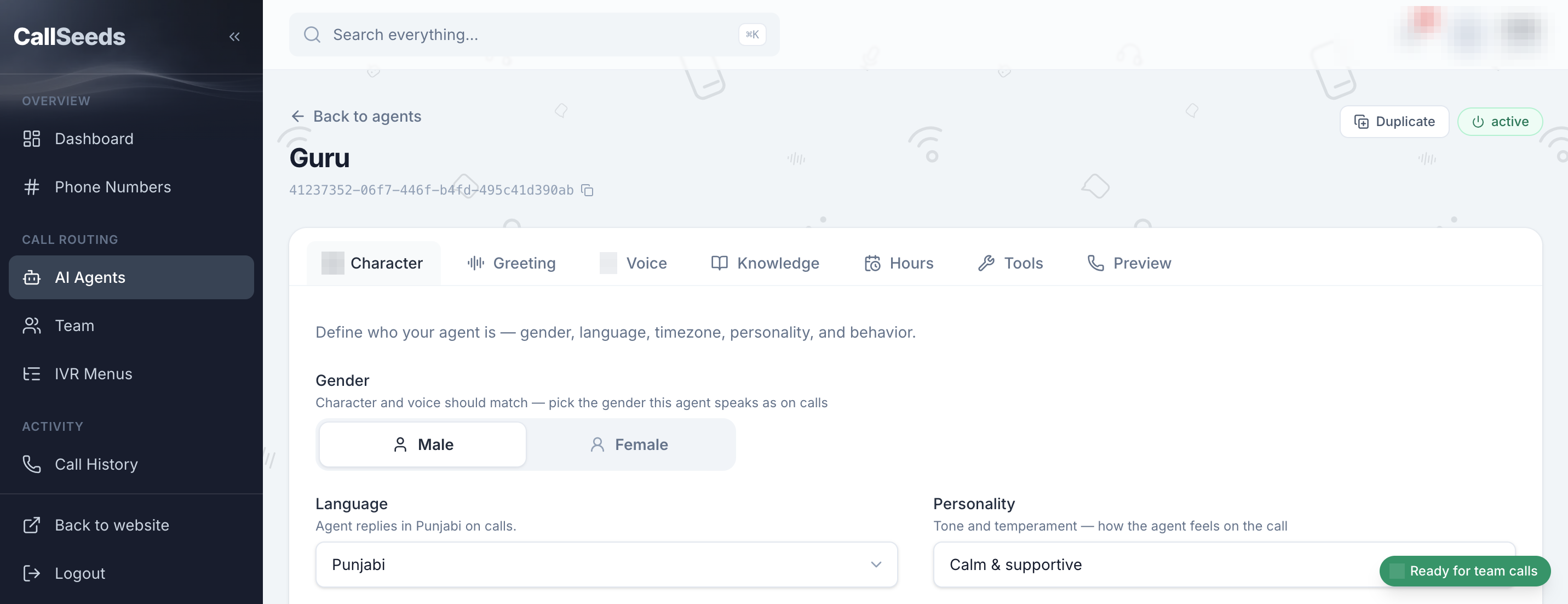
Writing good instructions
- Start with your business name and the agent’s role
- List what the agent should always help with (hours, booking, pricing ranges)
- List what it must not do (medical diagnoses, guaranteed prices if you do not publish them)
- Define escalation: when to offer a human callback or transfer
What to do next
Add knowledge so the agent can answer specific questions about your business, then try a browser preview before you connect a live number.
Follow along in your account
Sign in to CallSeeds and keep this guide open while you click through the same screens.