AI agents
Add knowledge so your agent answers accurately
Teach your CallSeeds agent about hours, services, pricing, and FAQs using the knowledge base — with dashboard screenshots.
5 min readOpen in dashboard
Knowledge is the factual material your agent uses on calls — hours, services, locations, policies, and common questions. Without it, the agent can only follow general instructions.
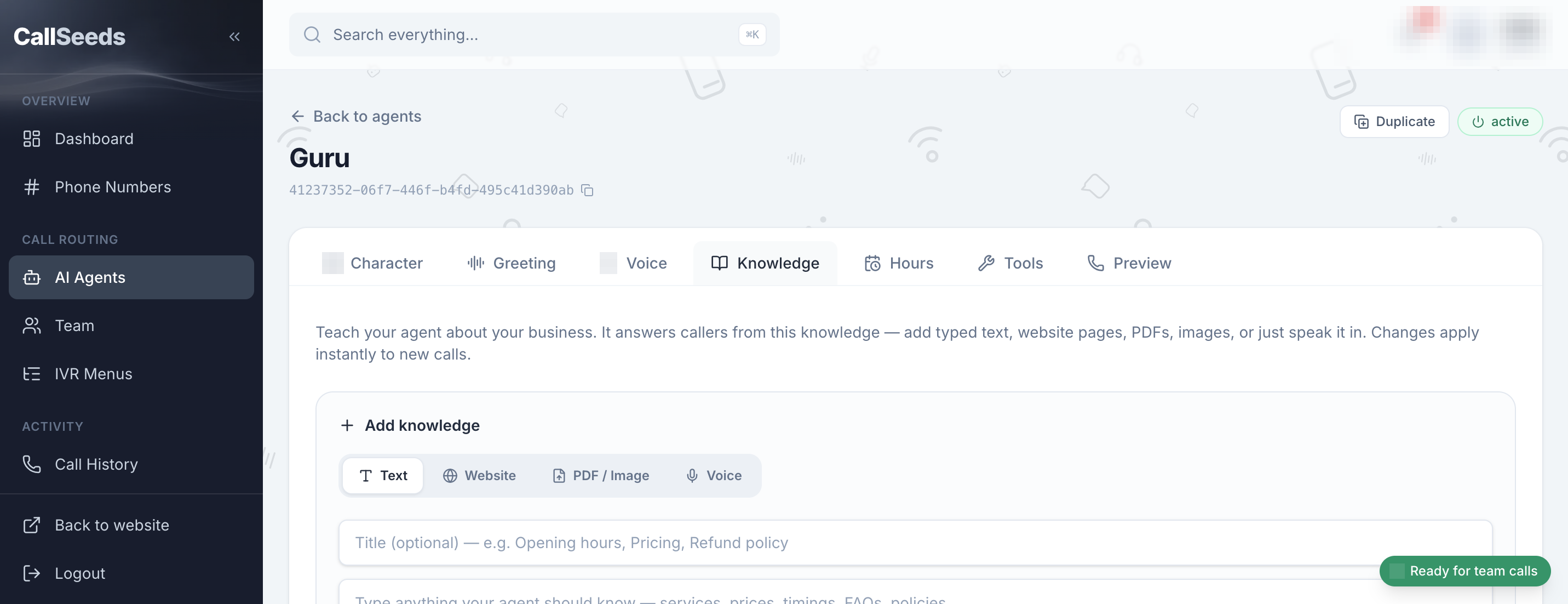
Add knowledge
- Go to AI Agents and open the agent you created
- Find the Knowledge section
- Add items for hours, services, pricing ranges, parking, and FAQs
- Write answers the way a receptionist would speak — short and clear
- Save, then run a browser preview to test a few questions
What to include first
- Business hours and holiday schedule
- Address, directions, and parking
- Services you offer (and what you do not offer)
- How booking or callbacks work
- Payment or cancellation notes if callers ask often
Follow along in your account
Sign in to CallSeeds and keep this guide open while you click through the same screens.