Phone numbers
Get a phone number and link it to your agent
After compliance approval, buy an Indian CallSeeds number, attach your AI agent, and start receiving inbound calls.
6 min readOpen in dashboard
Your AI agent needs a phone number callers can dial. For Indian local numbers, complete phone number compliance first — you need an Approved business compliance profile before Buy Indian number works. Then purchase the line and link it to your agent.
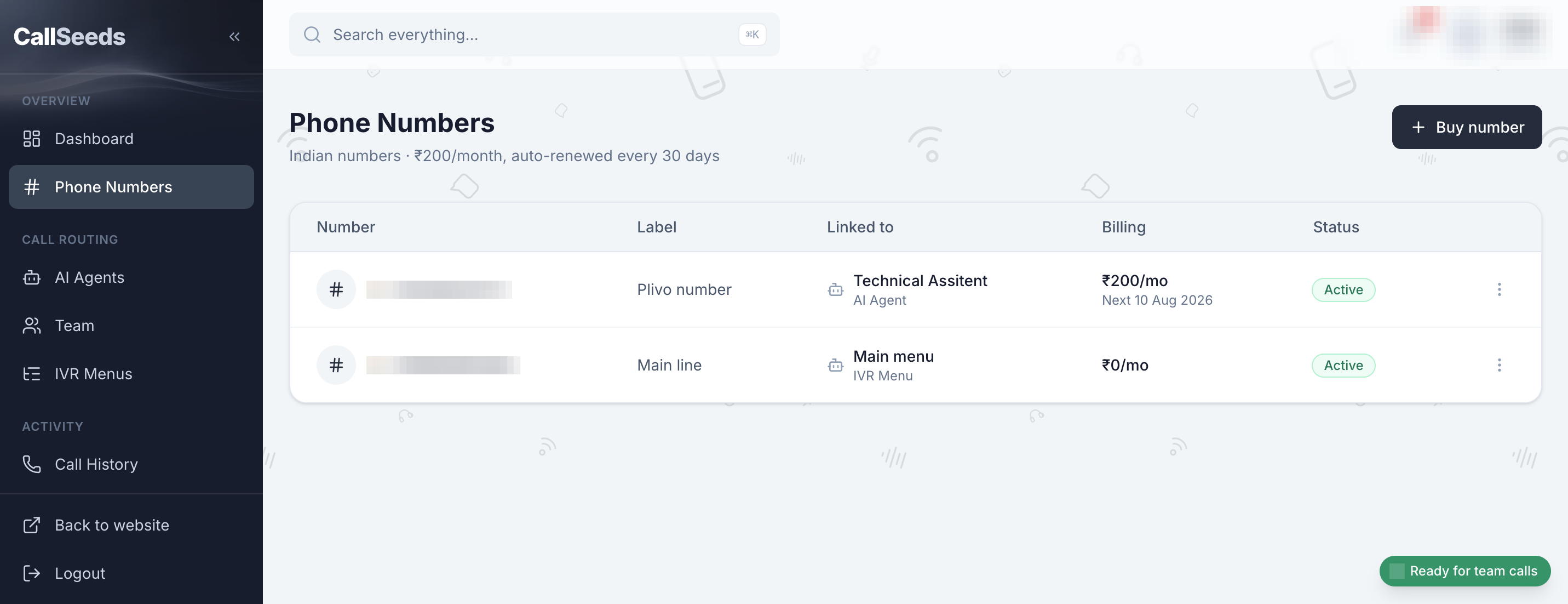
Before you buy
- Create and submit a business compliance profile (Add compliance)
- Wait until the status shows Approved — Under review cannot buy yet
- Keep credits in your wallet for the monthly number fee
- Full compliance steps: see Phone number compliance in Help
Buy and assign a number
- Open Phone Numbers in the sidebar
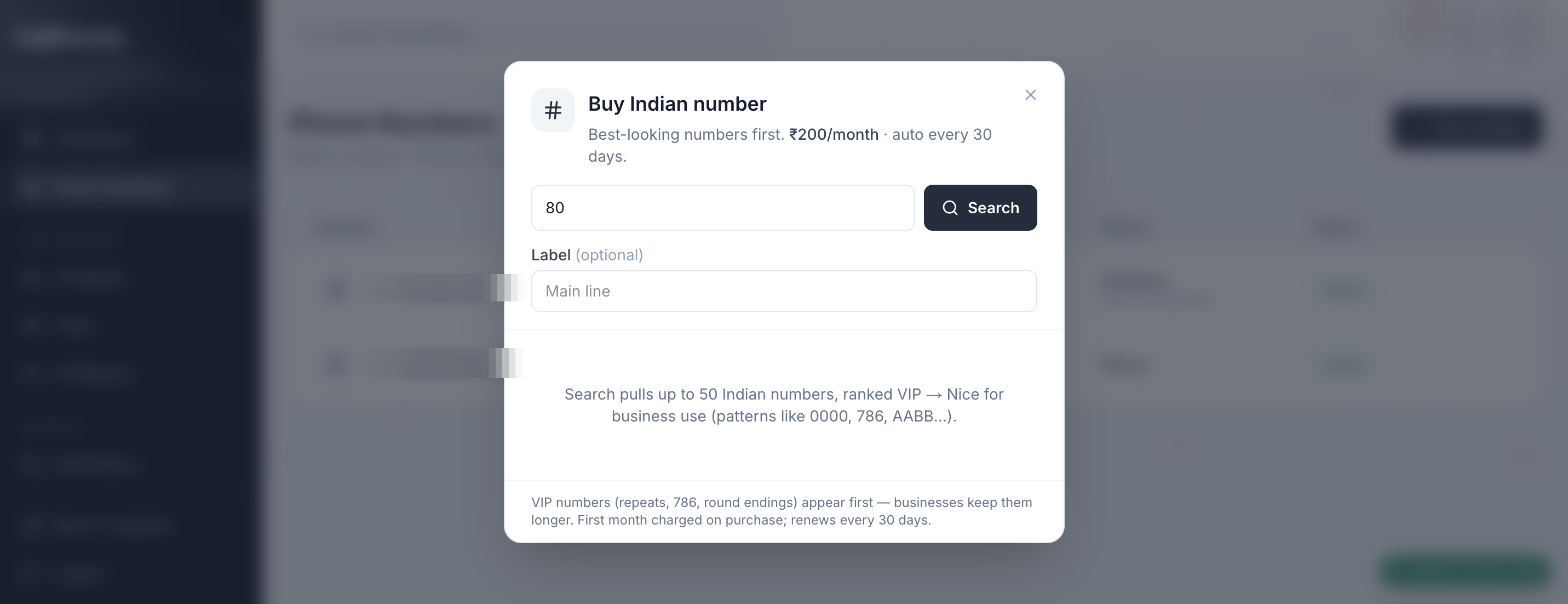
- Click Buy Indian number
- Select Compliance for this number (an Approved profile)
- Search by STD / area code and choose an available number
- Confirm number purchase
- Open Edit on the new number → Link type → AI Agent → choose your agent → Save link
- Place a test call from your mobile phone
Routing tips
- Link type can be AI Agent, Team (browser answering), or IVR Menu
- Use a dedicated marketing or after-hours number while you test
- Publish the number on your website and Google Business Profile when ready
Follow along in your account
Sign in to CallSeeds and keep this guide open while you click through the same screens.