Phone numbers
Phone number compliance: get approved before you buy
Indian local numbers on CallSeeds need an approved business compliance profile before you can buy. Learn how to submit KYC, track review status, and then purchase a number.
7 min readOpen in dashboard
Before you can buy an Indian local phone number in CallSeeds, you need an approved business compliance profile. This is a KYC step required for local numbers — CallSeeds cannot skip it. Once a profile is Approved, you select it when you buy a number, then link that number to your AI agent.
Why compliance is required
- Indian local numbers require business KYC (individual KYC is not available for these numbers)
- Your compliance application is reviewed before purchase can complete
- You can create more than one compliance profile if you register numbers for different customers or legal entities
- A Demo number for sandbox testing is separate — live Indian numbers still need approved compliance
Create a compliance profile
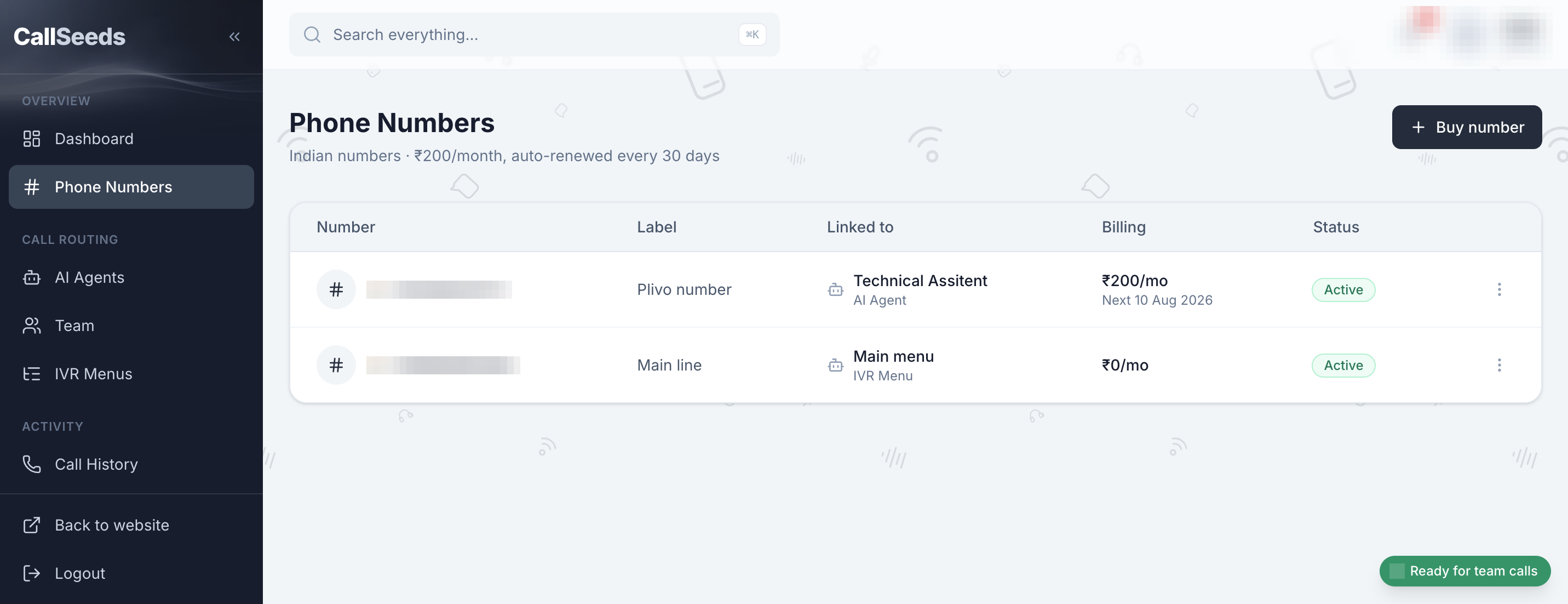
- Open Phone Numbers in the sidebar
- Click Add compliance (or Create compliance if you have none yet)
- In Add compliance, set an Alias so you can recognize the profile later
- Enter Legal name exactly as on your Certificate of Incorporation (or equivalent business document)
- Add Email, Registration number (CIN / Udyam) if you have one, and your business address
- Upload the Compliance documents shown in the form (types come from the number provider — PDF, PNG, or JPEG, up to 5 MB each)
- Read and accept the policy checkbox, then click Submit for review
Track approval status
- Under review — your application was submitted and is waiting for a decision
- Approved — you can use this profile when you Buy Indian number
- Rejected — open Resubmit compliance, fix the issues, and Resubmit for review
Buy a number after approval
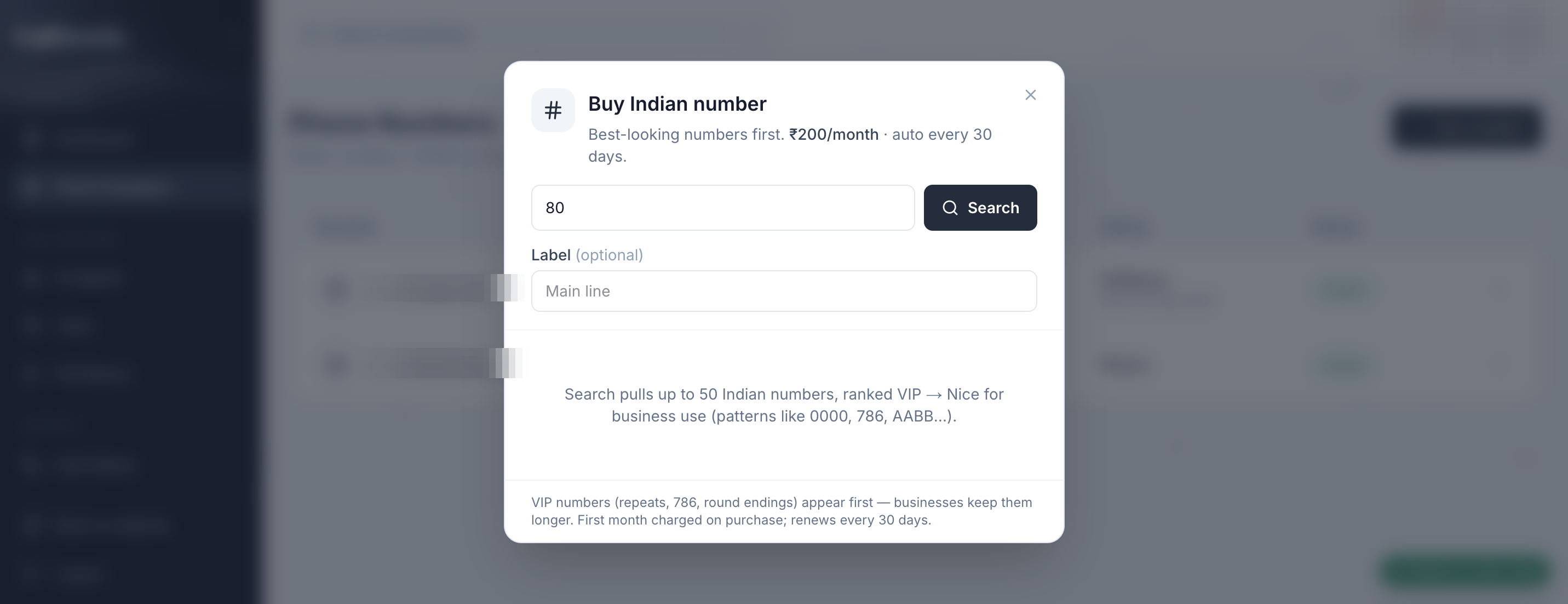
- When at least one profile shows Approved, click Buy Indian number
- In Buy Indian number, choose Compliance for this number (Approved profiles only)
- Search by STD / area code for the city your callers expect
- Confirm number purchase (monthly fee is charged from your credit balance)
- After the number appears in the list, use Edit → Link type → AI Agent, pick your agent, then Save link
- Place a test call from your mobile phone
What CallSeeds does not handle in this step
- This guide is for number registration / KYC compliance — not DLT telemarketing registration
- Document types are defined by the number provider for your application; upload what the form asks for
- If Buy Indian number stays disabled, you still need an Approved compliance profile first
Follow along in your account
Sign in to CallSeeds and keep this guide open while you click through the same screens.